










StoneShot Learning > Event Marketing > Instant Calendar Invites
Instant Calendar Invites

Traditionally, attendees had to download an .ics file and manually add it to their calendar, but expectations are evolving. Of the 250+ investors we surveyed, only 19% said they are happy downloading calendar files after registration.
With Instant Calendar Invites, event details are automatically sent as a native calendar invitation right after registration. This ensures your event appears directly in the attendee’s calendar, without any downloads or extra steps.
Instant Calendar Invites work seamlessly across Outlook, Office 365, Google Calendar, and Apple Calendar, giving you full coverage for any audience.
Enabling Instant Calendar Invites in the Event Builder
You can easily enable this feature from within your Calendar Invite setup in the Event Builder.
To enable Instant Calendar Invites:
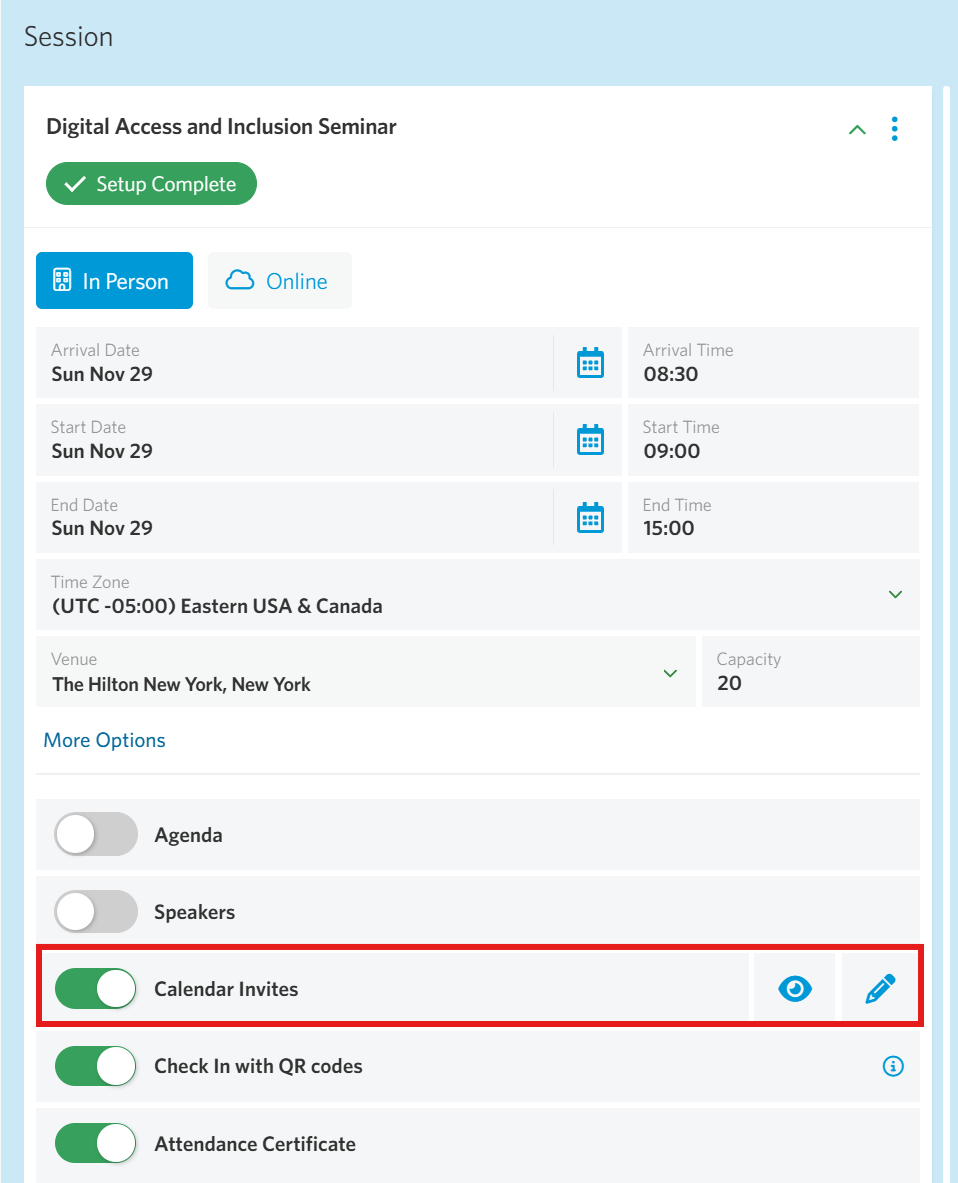
- Go to your event session within the Event Builder.
- Locate the Calendar Invites field in the session set up panel and click the blue edit pencil.
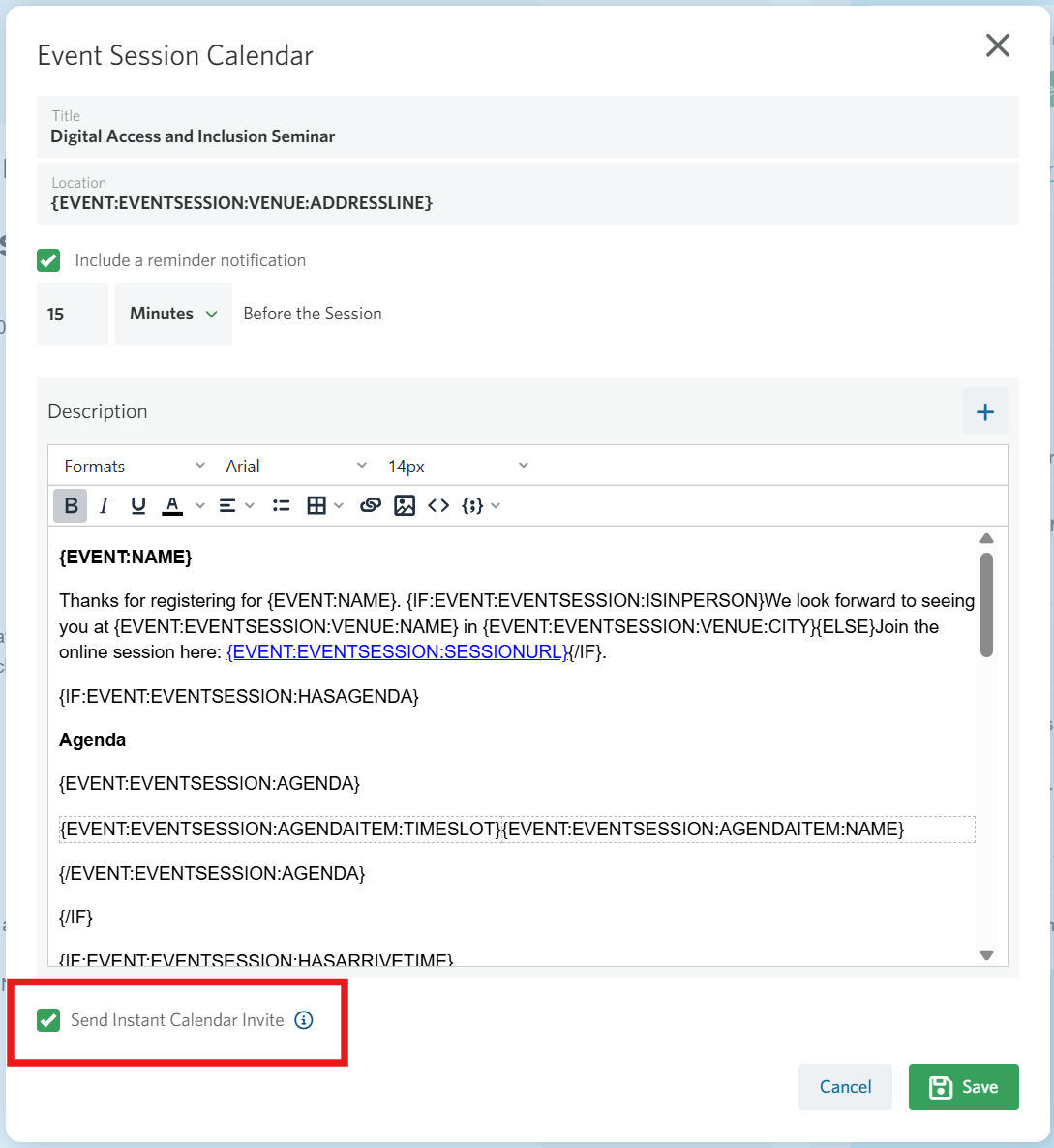
- Check the box next to “Send Instant Calendar Invite” below the calendar description.
- Save your changes.
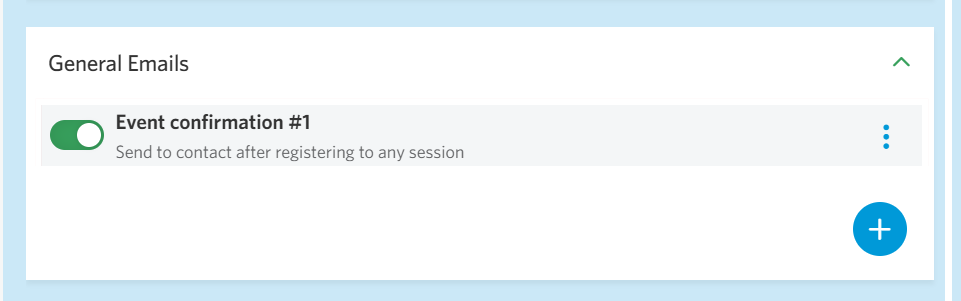
Once enabled, registrants will automatically receive an Instant Calendar Invite in their inbox along with the confirmation email. To make sure the invite is sent, ensure a schedule is set up in the Schedule tab.
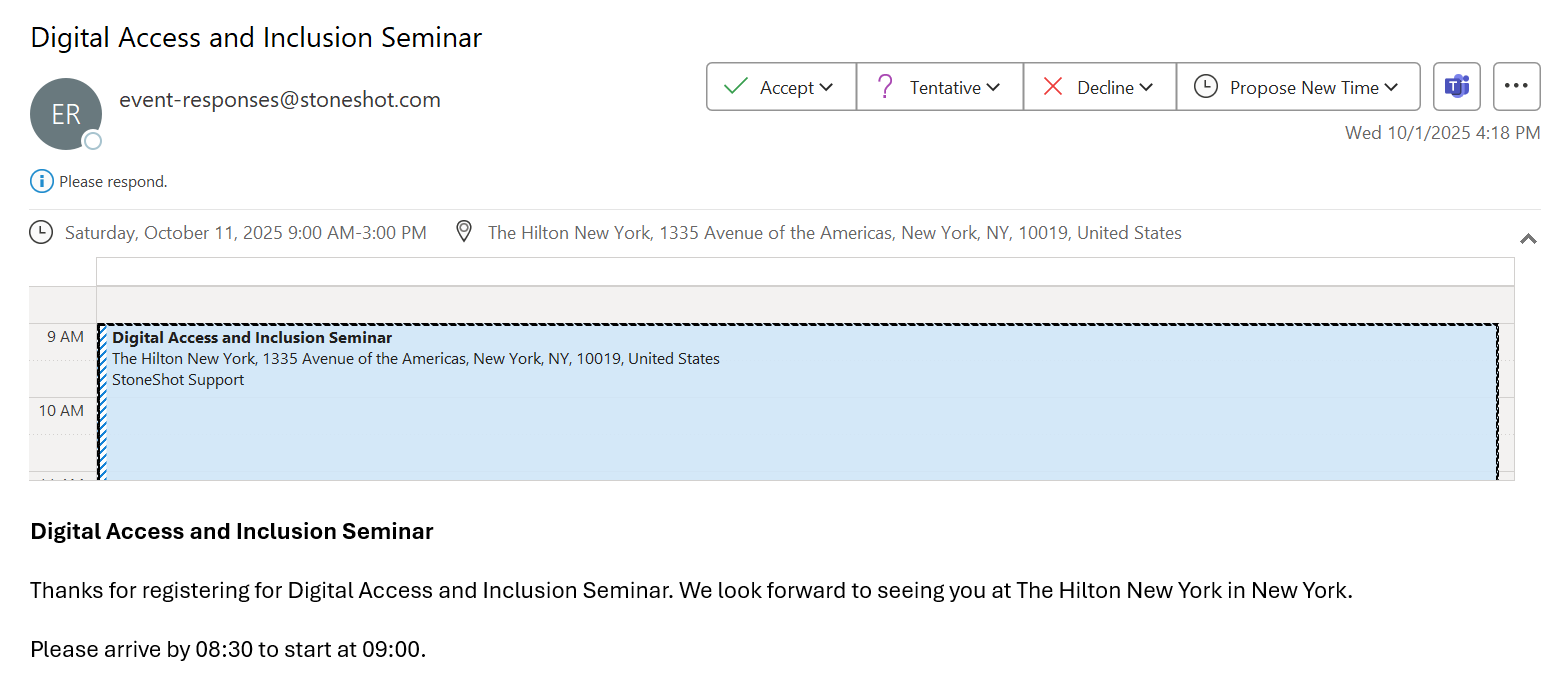
Once the invite arrives, registrants can add the event to their calendar just like any other meeting—quick, simple, and seamless.
FAQ
How does the Instant Calendar Invite work?
For the Instant Calendar Invite to be sent, you must also have a corresponding Event Schedule configured to trigger from that status change.
Once a contact meets the registration criteria, the Instant Calendar Invite is sent alongside the scheduled email, allowing them to add the event directly to their calendar.
As a contact can only move into a registration status once, the Instant Calendar Invite can only be sent once per contact, immediately after they register for the event.
Can we send the Instant Calendar Invite again with an event reminder?
No, the Instant Calendar Invite is only sent with the confirmation email.