










StoneShot Learning > Teams and Tags > Teams
Teams
In the StoneShot Marketing Platform there is a feature available known as Teams that allows you to have users across separate teams use the same instance of StoneShot and keep their team specific content separate and private.
This is ideal if you work on specific projects that shouldn’t be shared inter-team. You can have as many Teams as you need, and a user can be part of more than one team.
How Teams work
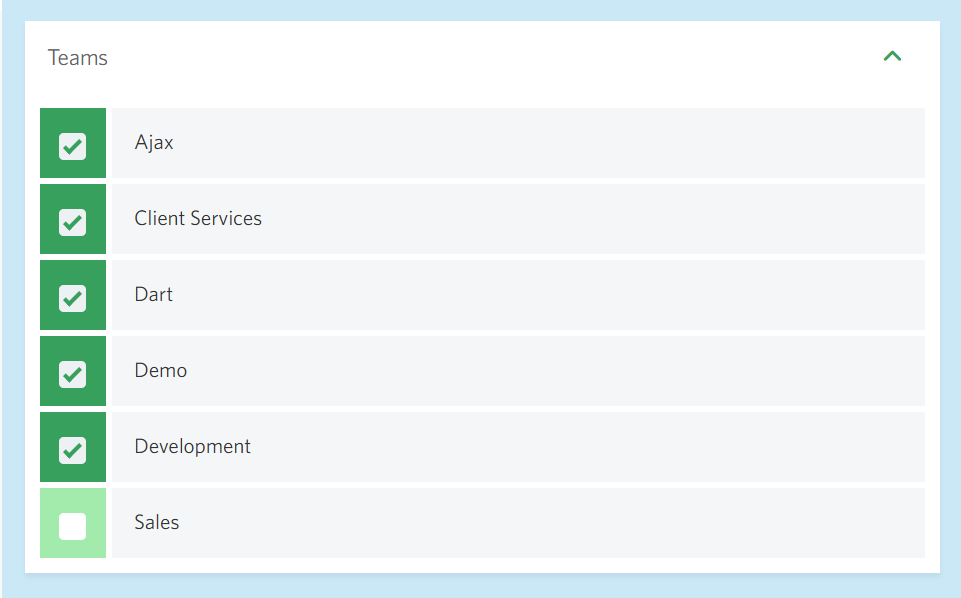
When you upload a list or create an email, just be sure to select your Team at the bottom of the screen. If no Team is selected, it will be visible to everyone in your account.
How to create a new Team
Teams can be setup by a user with Admin permissions or higher. Admin users can subsequently assign each user to a Team, alternately you can contact StoneShot to assign the Team to the individual.
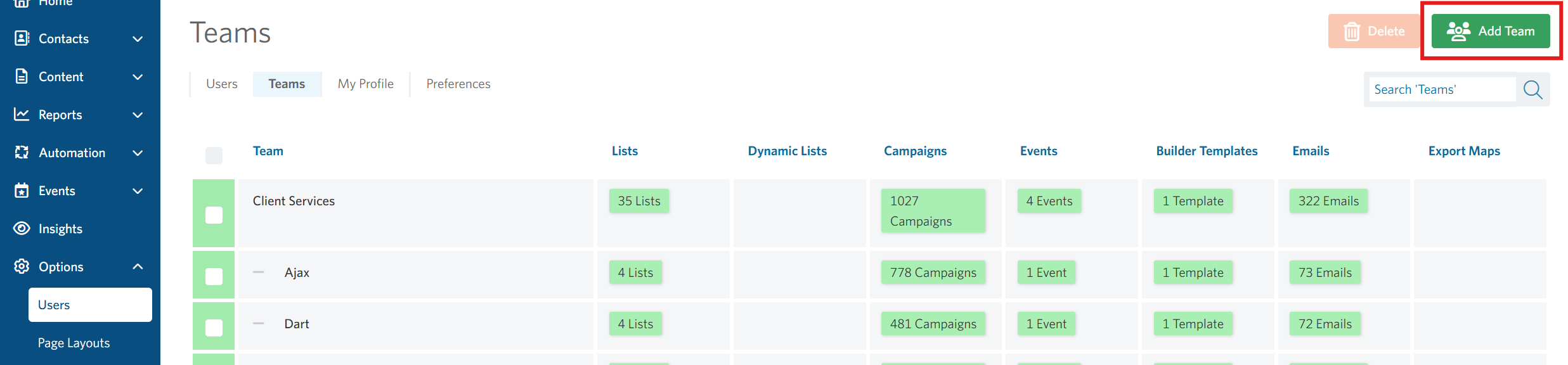
Go to Options > Users > Teams and Add Team.
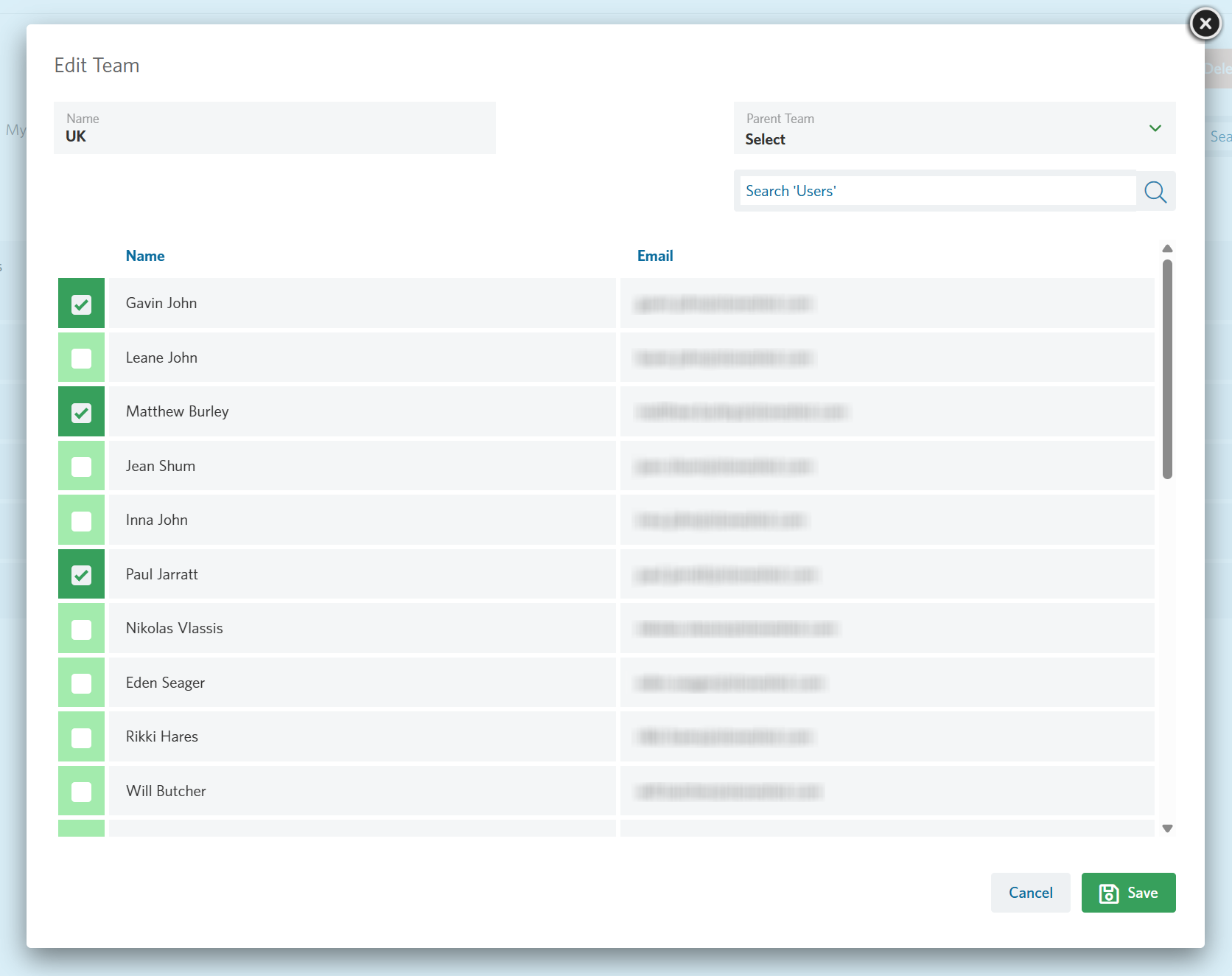
Give your Team a Name, select the individuals you’d like to include, and Save.
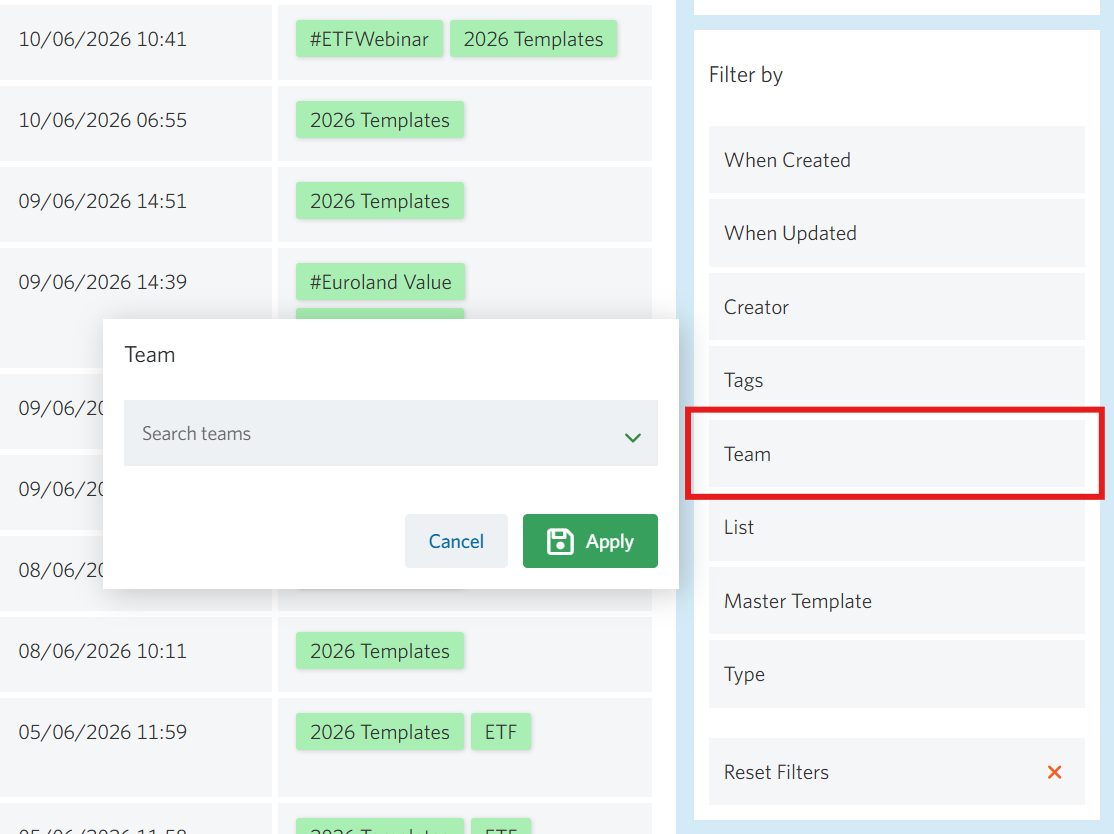
You can then search for an item based on the Team it is assigned to.
If you need Teams set up in your instance, contact us and we’ll be able to get it rolling.