










StoneShot Learning > Event Marketing > Managing Speakers
Managing Speakers

To create a speaker, navigate to Events > Speakers and click New Speaker. It’s best to complete as many fields as possible but the minimum required fields are:
- Name
- Job Title
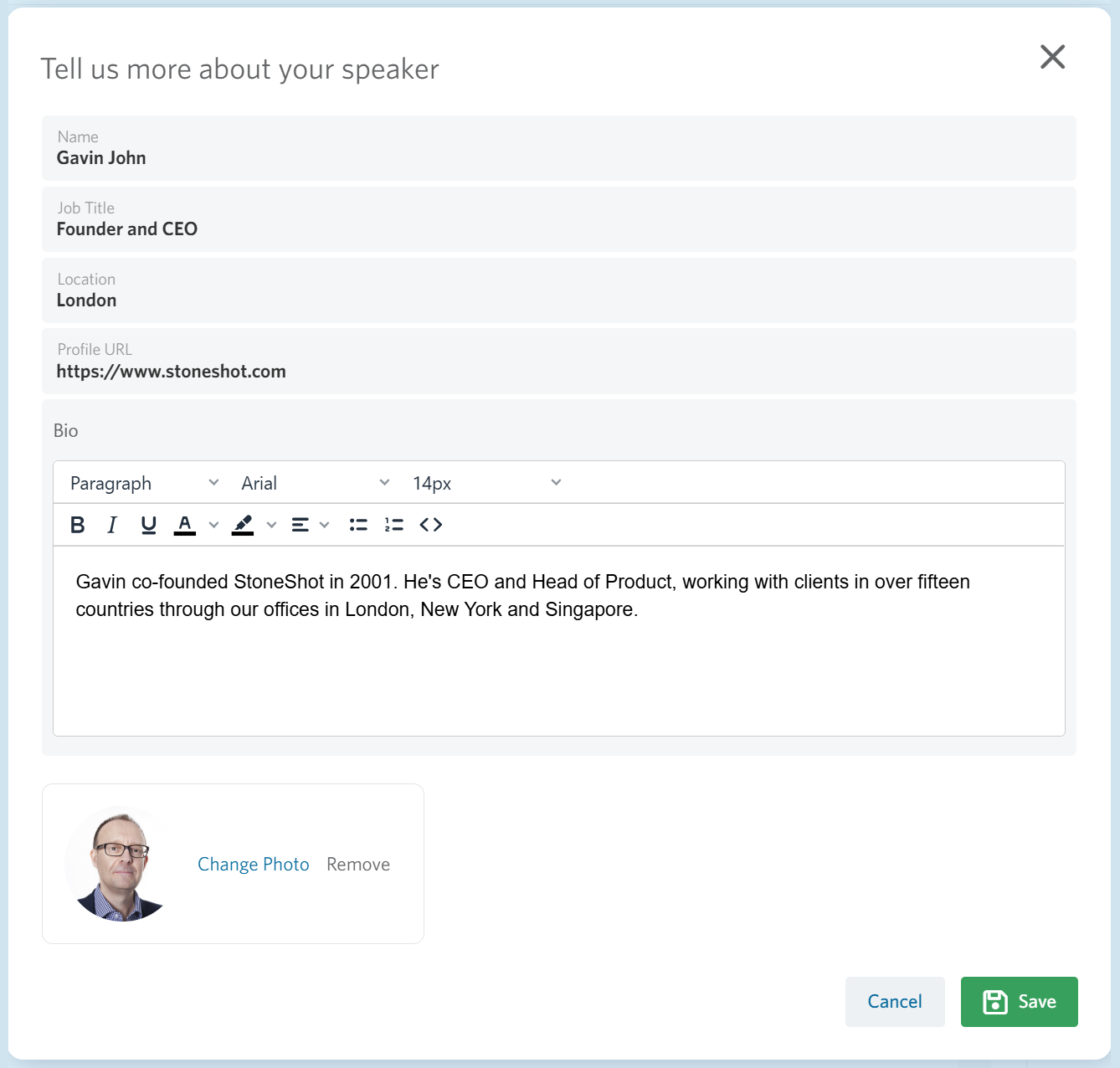
The Profile URL is used within the StoneShot Platform and you can merge it into your emails and forms too. We recommend professionally-shot photos on a white background. You can either paste a hosted image URL or upload photos using Upload a Photo or the File Manager (Content > File Manager) to ensure they’re securely stored and always available for use.
It’s also a great idea to enter Description which we use for speaker bios. This helps emphasise the quality of your speakers to drive higher attendance.
When you’re done click Create Speaker.
Edit Existing Speaker
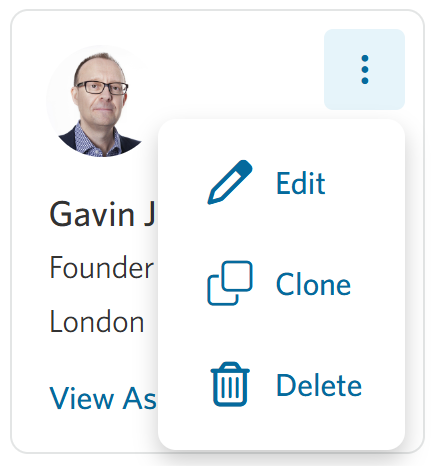
To edit a speaker, click the three dots in the top-right corner and select Edit.
Every field on this modal can be dynamically merged into your emails and registration form, and that means you can reuse the same template emails and forms across any event.
FAQ
Can I upload multiple bios for the same speaker?
No. Unfortunately, it is only possible to upload one biography per speaker.
How can I change the order of speakers in my event email?
If your email is using dynamic tags to display speakers, open the relevant Event, go to Session on the right, and expand the session you want to update. Within the Session Details, scroll down to the Speakers section, click the three dots and select the Assign Speakers option. Use the three-line drag handle to reorder the speakers, then click Save.
If you are not using dynamic speaker tags, you will need to edit the email template manually and update the speaker order within the content.