








StoneShot Learning > Event Marketing > Event Summary
Event Summary
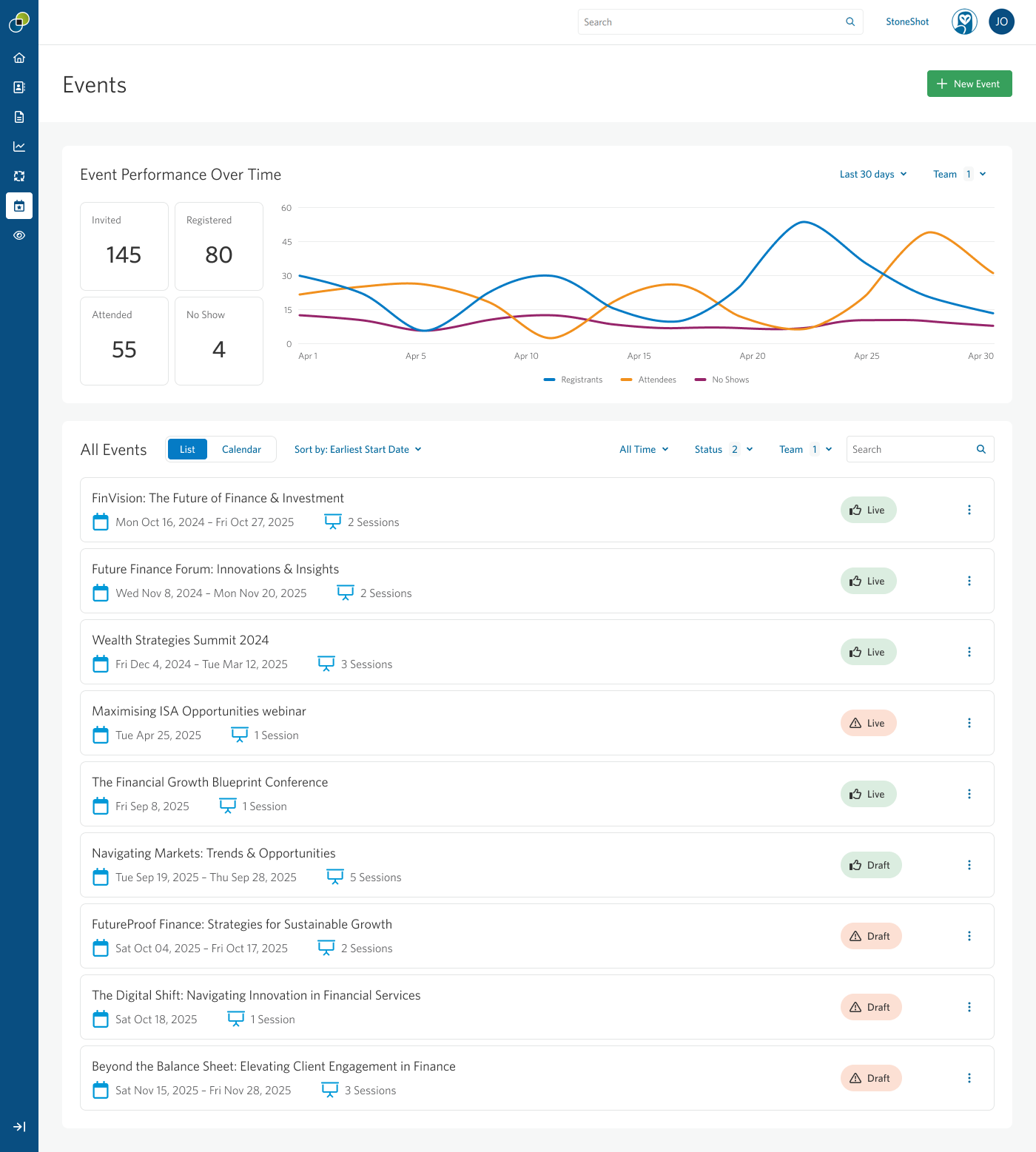
The Event Summary page gives you a central view of your events, helping you monitor performance, manage activity, and improve engagement over time.
Event Performance Over Time
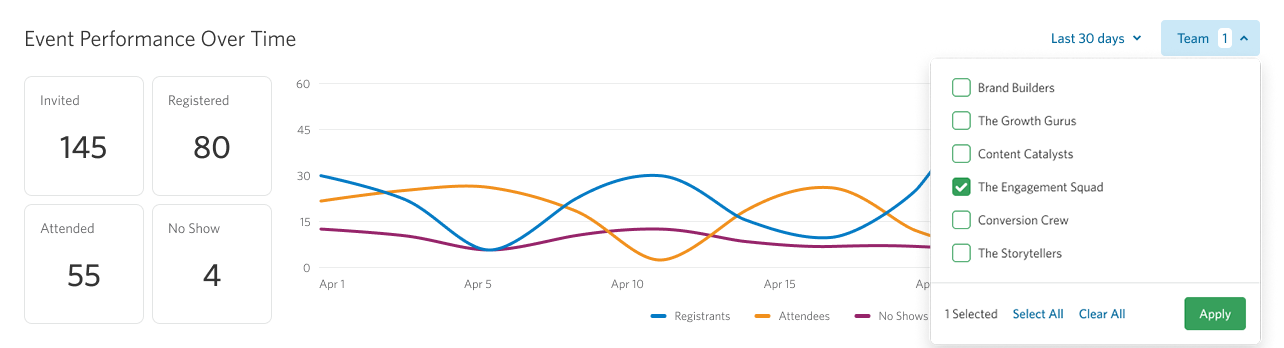
This widget shows how your events are performing across a selected time period.
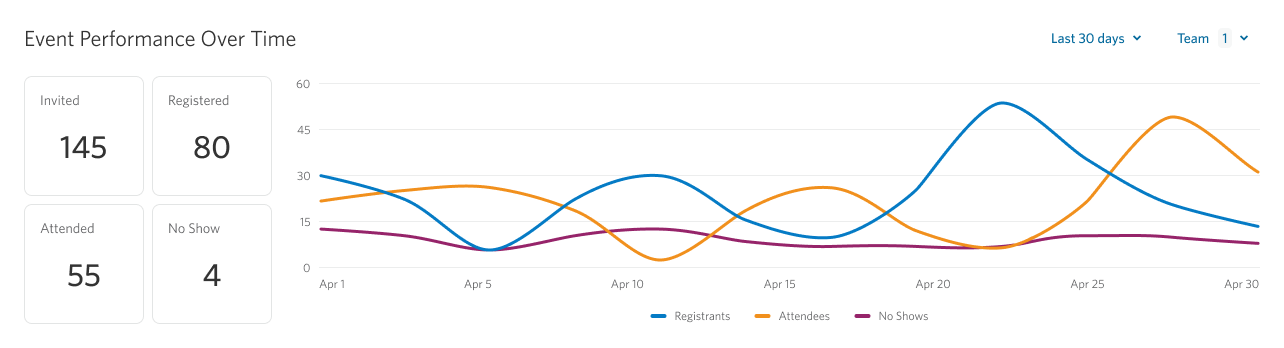
By default, the view is set to the last 30 days. Each metric includes an indicator showing how performance compares to the previous equivalent period, helping you quickly identify trends over time.
You can change the timeframe using predefined options or by selecting a custom date range. Your selection is saved and applied automatically when you return to the page.

The widget is also filtered by your assigned team or teams by default. If needed, you can adjust this filter, and your selection will be remembered for future visits.
All Events
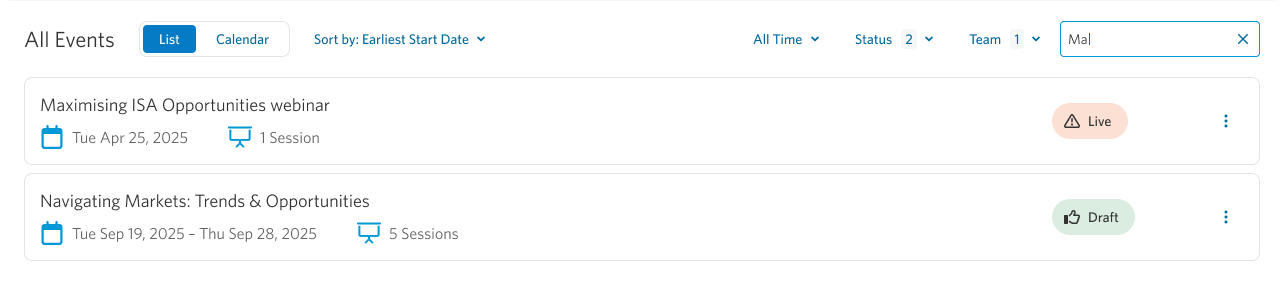
The All Events widget provides a complete overview of your events, with flexible options to view and manage them.
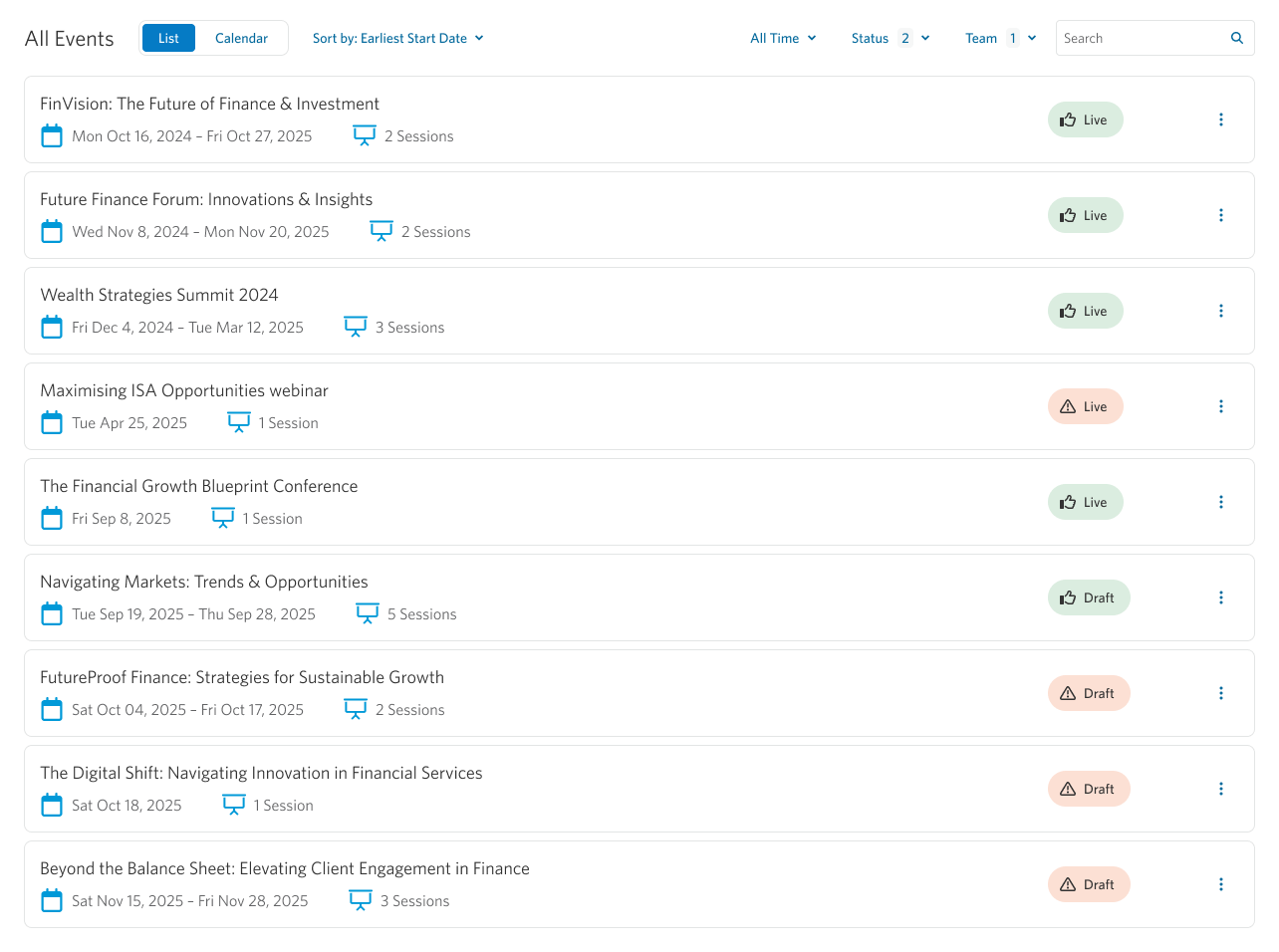
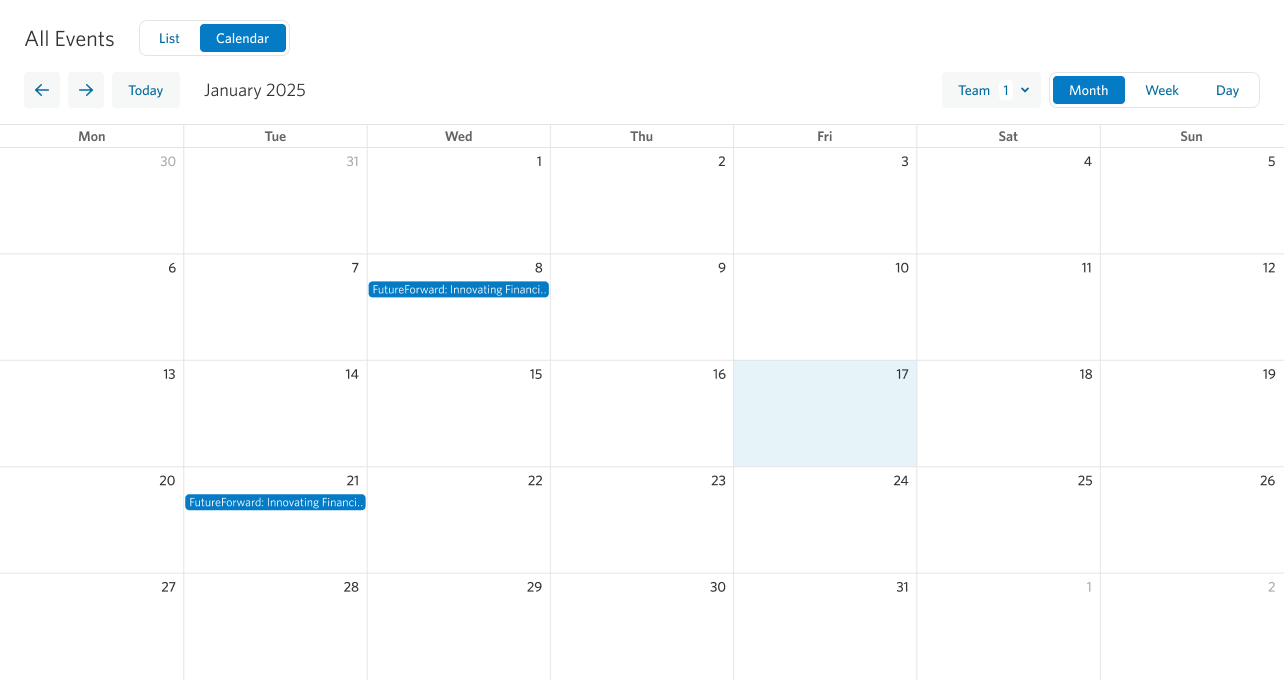
You can switch between list and calendar views. The calendar view displays events of all statuses and uses the same team filter as the list view.
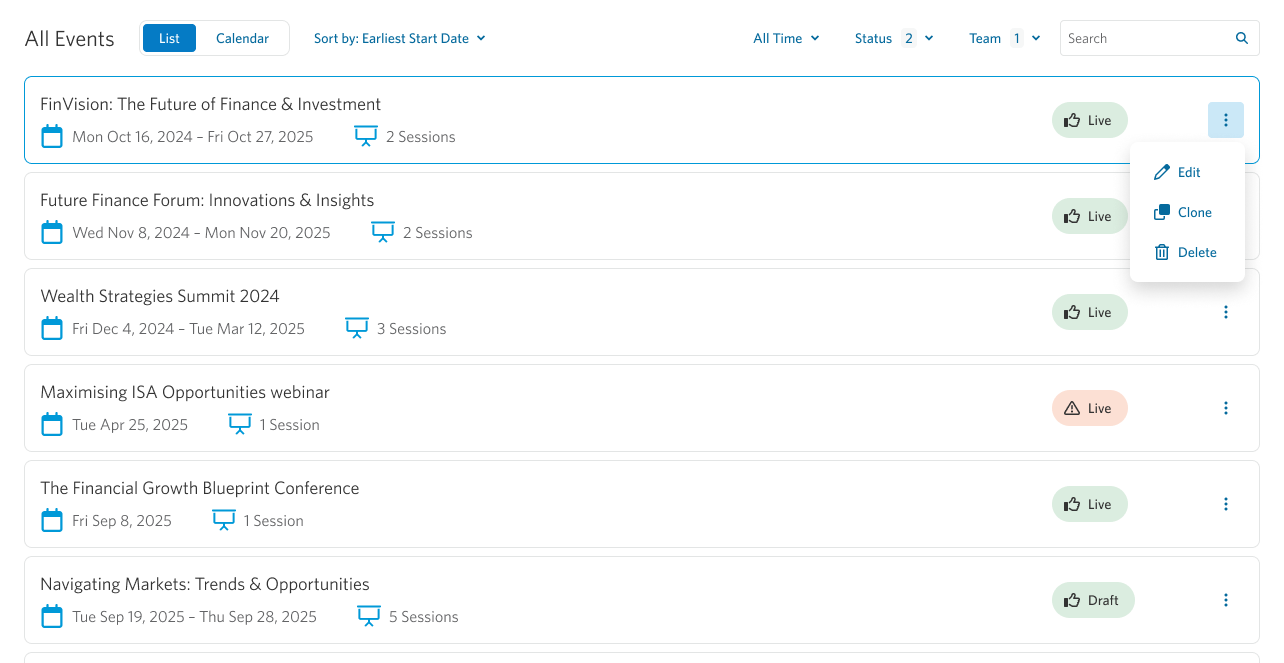
Events can be managed directly from this page. Using the three-dot menu beside each event, you can edit, clone, or delete it.
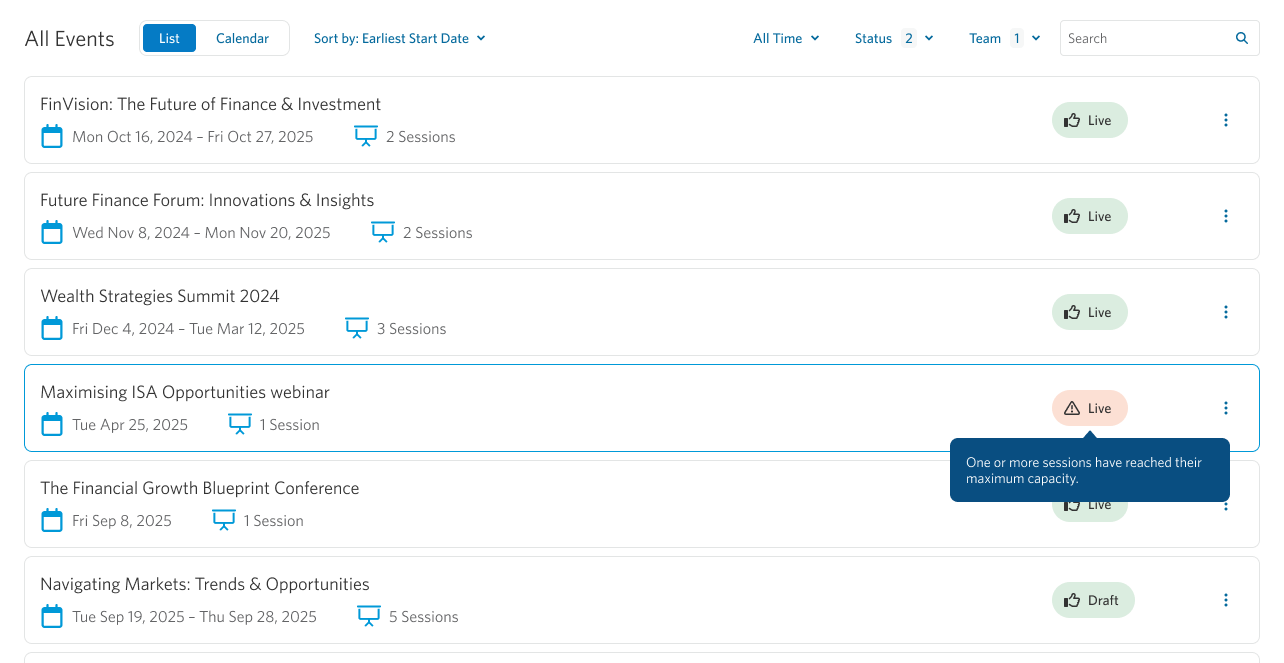
If an event has an error status, hovering over the icon will display more information about the issue.
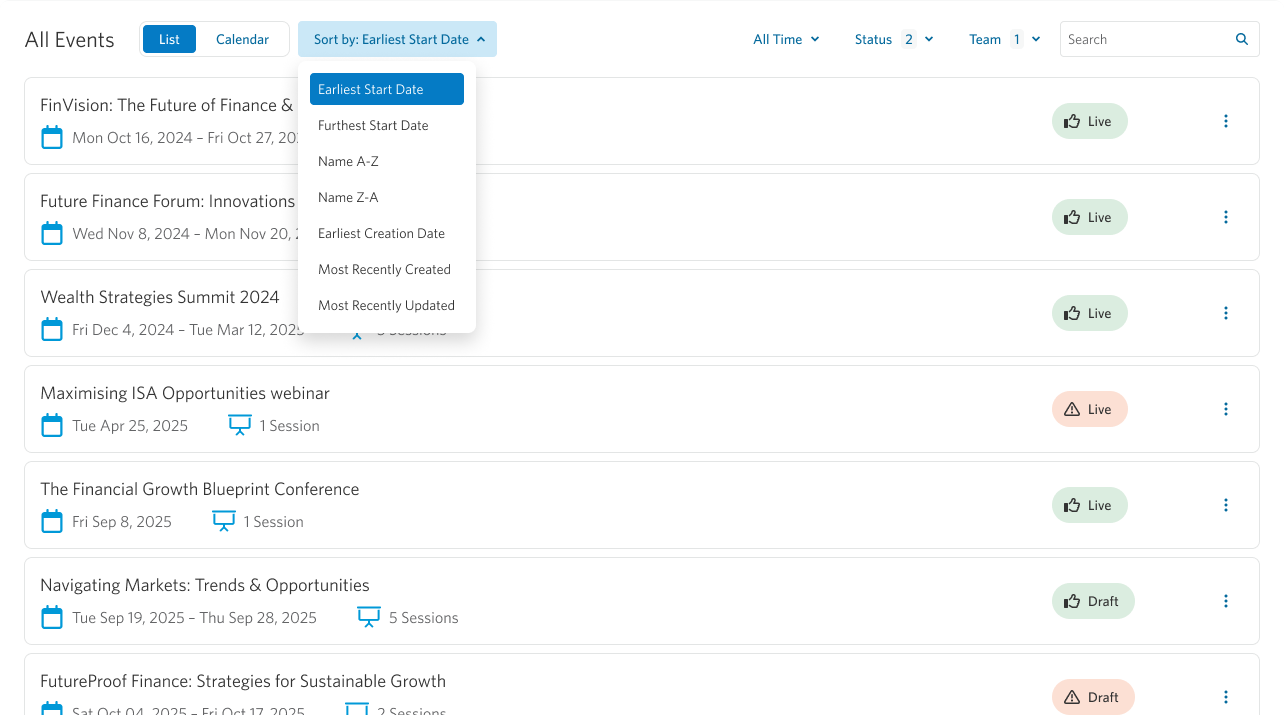
Events are sorted by earliest start date by default, making it easy to prioritize upcoming activity. You can change the sorting option at any time to suit your workflow.
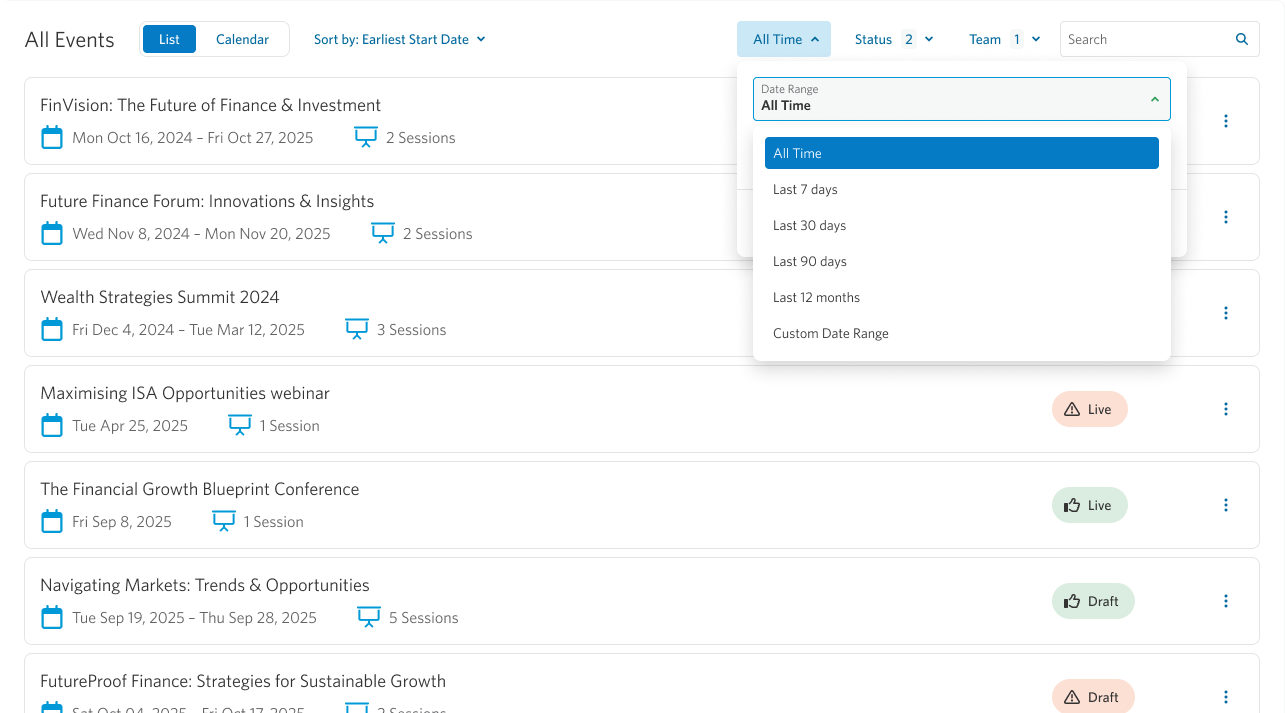
You can refine the event list using filters. Time filters allow you to quickly select a predefined timeframe or define a custom date range, and the list updates as soon as changes are applied.
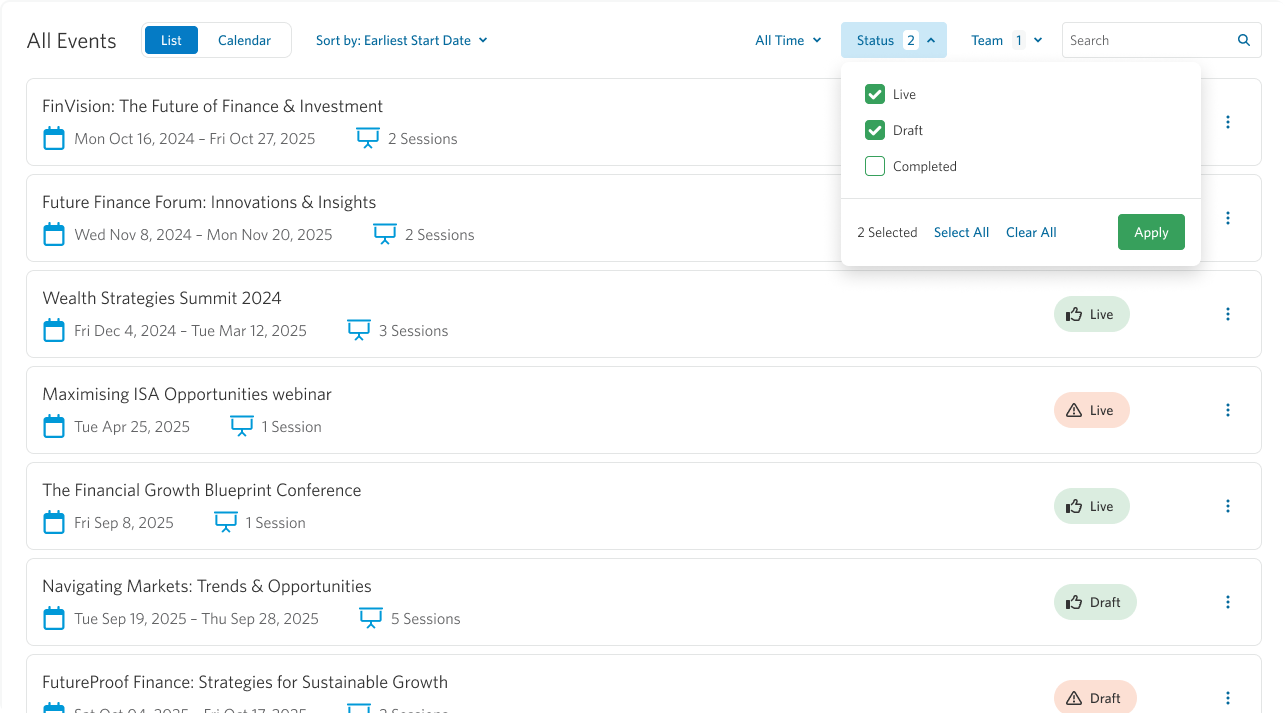
By default, Live and Draft events are shown, but you can adjust this via the Status filter and your selection will be saved.
The Team filter also defaults to your assigned teams and remembers any changes you make.

To find specific events quickly, you can also search for them via the Search bar.
For further event performance management, let’s click into one of our events to view the individual Event Details page.